
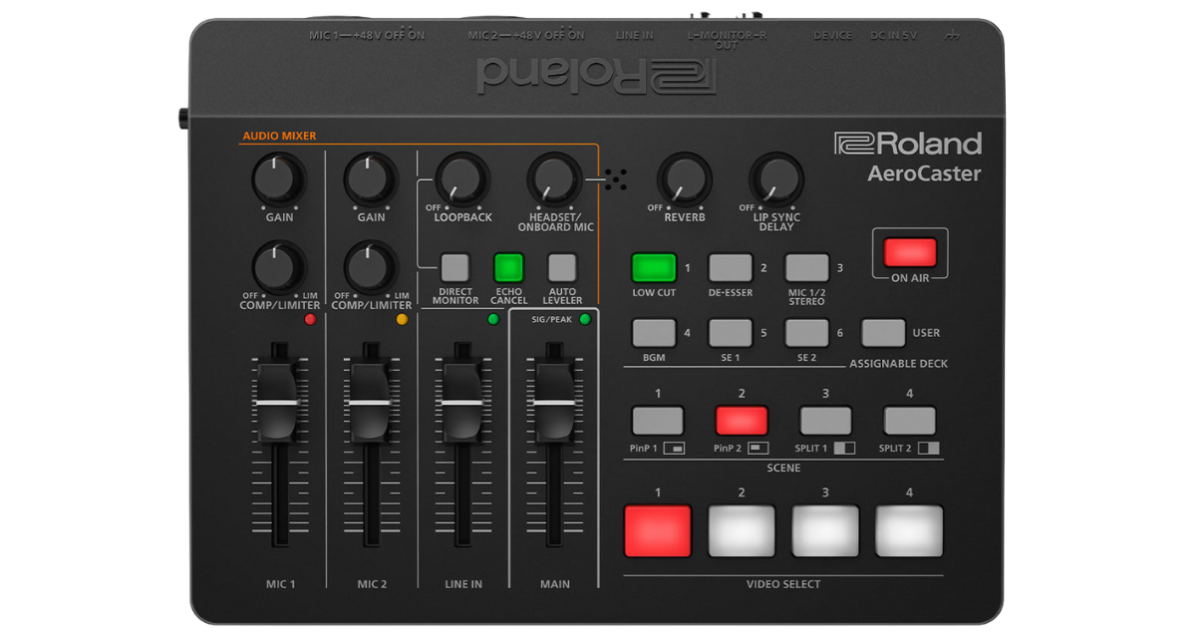
The Roland VRC-01 AeroCaster system combines hardware and free software to create professional multi-camera livestreams using iOS devices—perfect for DJs without complex production setups.
Roland VRC-01 AeroCaster Review: Professional DJ Livestreaming Made Simple
Broadcast-Quality Streaming Without the Broadcast Budget
The Roland VRC-01 AeroCaster represents a paradigm shift in livestreaming technology for DJs and performers. This innovative system combines affordable hardware with sophisticated free software to deliver professional multi-camera productions using nothing more than iOS or Android smartphones as cameras and an iPad as your production control center.
What Is the AeroCaster System?
At its heart, the AeroCaster consists of the VRC-01 hardware unit and the free AeroCaster app for iPad. The hardware serves dual purposes: it’s a capable audio interface with multiple inputs, and it’s the bridge that connects your smartphone cameras wirelessly to your iPad control center.
This wireless approach eliminates the cable chaos typical of traditional multi-camera setups. Your cameras—up to four iOS or Android phones running the free camera app—communicate over your local Wi-Fi network. The VRC-01 handles all audio routing and connects to your iPad for production control.
The result is a complete broadcast studio that fits in a backpack, requires minimal setup time, and costs a fraction of traditional video production equipment.
Hardware Design and Connectivity
The VRC-01 unit is compact and lightweight, roughly the size of a paperback book. Its understated black design prioritizes function over flash, with clear labeling and intuitive layout that becomes second nature quickly.
The front panel features a straightforward mixer section with three audio input controls plus a master volume. LEDs provide visual feedback for levels and battery status. Physical buttons allow quick access to camera switching and key functions without needing to touch the iPad app.
Around the back, connectivity is comprehensive. Two XLR/TRS combo jacks accept microphones (with phantom power available) or line-level sources. A third input provides an eighth-inch stereo line input—perfect for connecting your DJ controller or mixer. There’s also a monitor output for connecting speakers, a USB-C port for the iPad connection, and another USB-C port for power input.
This audio interface functionality is crucial for DJs. It allows you to route your mix directly into the broadcast while also connecting microphones for announcements or guest commentary, all managed through the VRC-01’s built-in mixing capabilities.
The iPad App Experience
The free AeroCaster app transforms your iPad into a professional video production switcher. The interface is remarkably intuitive, with preview and program monitors showing what’s queued and what’s currently broadcasting.
Along the bottom, you select between up to five video sources—four external cameras plus the iPad’s own camera. Tapping a source queues it in preview; a second tap switches it to the program output. You can also enable a direct-cut mode that bypasses preview for instant switching.
The app includes picture-in-picture and split-screen layouts, giving you creative options beyond simple camera cuts. Graphics, titles, and other media can be imported and overlaid on your video. You can even store video clips for playback—perfect for intros, outros, or interstitial content.
Audio mixing is fully integrated. Each audio input from the VRC-01 appears in the app with individual level controls, allowing you to balance your DJ mix against microphone input or any other sources. The visual meters ensure you’re not clipping while maintaining professional audio levels.
Wireless Camera Setup
Setting up smartphone cameras is straightforward. Install the free AeroCaster Camera app on each device, connect them to the same Wi-Fi network as the iPad and VRC-01, and they’ll automatically appear as available sources in the main app.
The wireless connection means complete freedom in camera placement. Want an overhead shot of your DJ gear? Mount a phone on a tripod above your setup. Need a wide shot showing you and your equipment? Position another phone across the room. The only constraints are Wi-Fi range and your creativity.
Each camera offers impressive control through the app. You can adjust exposure, white balance, and focus remotely. Digital zoom lets you punch in without physically moving cameras. There’s even a torch/flashlight control for adding a little fill light if needed.
The quality is surprisingly good. Modern smartphone cameras—especially in iOS devices—deliver crisp, well-exposed footage that holds up even in challenging lighting conditions. Combined with the image stabilization most phones provide, you get smooth, professional-looking results.
Audio Capabilities
For DJs, the audio side of the VRC-01 is equally impressive. The built-in mixer provides phantom power for condenser microphones, has gain controls to optimize input levels, and includes compression and limiting on microphone channels to ensure speech remains clear and intelligible even in loud environments.
A low-cut filter removes rumble and handling noise from microphones. A de-esser smooths harsh sibilance. These professional broadcast tools ensure your voice-overs sound polished without requiring external audio processing.
The stereo line input accepts your DJ controller’s output directly, and you can adjust its level independently. A loopback function can feed audio from the iPad back into the mix—useful if you need to incorporate tracks or effects from iOS music apps.
Particularly clever is the echo cancellation feature. If you’re bringing in audio from a remote guest or conducting an interview where someone might be listening through speakers, echo cancellation prevents feedback loops.
One standout feature is the lip-sync delay control—a physical knob on the VRC-01 hardware. Wi-Fi transmission inevitably introduces slight video latency. This control lets you delay the audio to match, ensuring your commentary stays synchronized with your actions on camera.
Going Live
When you’re ready to broadcast, the app makes it simple. Tap the “Go Live” button and select your destination: YouTube, Facebook, Twitch, or custom RTMP for other platforms. You can also record directly to the iPad’s storage for later editing and upload.
The system handles all the technical complexity—encoding settings, bitrate optimization, connection management—automatically. You simply choose where you want to stream and hit go.
Multiple simultaneous destinations aren’t supported natively, but third-party services like Restream integrate seamlessly if you need to broadcast to multiple platforms at once.
Real-World Performance
In actual livestreaming scenarios, the AeroCaster system proves remarkably reliable. The wireless connection remains stable across typical home Wi-Fi networks, and the system gracefully handles the occasional dropped frame without disrupting the broadcast.
Switching between cameras is instantaneous, and the transitions look professional. The app’s performance is snappy—no lag or stuttering even when making rapid changes between sources or applying effects.
Battery life on the smartphone cameras is the main practical limitation. Expect a couple of hours per device under continuous streaming conditions. Having USB power banks nearby or keeping phones plugged in during longer broadcasts is advisable.
Who Benefits Most
The AeroCaster system is ideal for DJs who want to elevate their livestream production without investing in traditional video equipment or learning complex production software. If you’re currently streaming with a single camera and want to add visual variety without technical headaches, this system delivers immediately.
It’s particularly valuable for DJs without dedicated streaming computers. Everything runs on iOS devices, so you can livestream complete with multiple camera angles while your laptop (if you even have one) focuses solely on running your DJ software.
Home studio DJs creating content for YouTube, Twitch, or social media will find the AeroCaster system provides production capabilities that make content stand out in increasingly crowded spaces.
Limitations to Consider
The requirement for an iPad is a significant factor. While you can use iPhones or Android devices as cameras, the main production control app requires an iPad. This means if you don’t already own one, there’s additional cost beyond the VRC-01 hardware itself.
Wi-Fi dependency means you need a reliable local network. This is rarely an issue at home but could be problematic if you wanted to use the system in venues or locations with poor Wi-Fi infrastructure.
The system is also designed around iOS and Android smartphones as cameras. While this leverages devices many people already own, dedicated cameras with better low-light performance or superior optics would still deliver better image quality in challenging conditions.
Value Proposition
The VRC-01 hardware is affordably priced, especially considering its capable audio interface functionality alone would justify a significant portion of the cost. The completely free software means no ongoing subscription fees—a refreshing change in an era of subscription-everything.
When compared to traditional video production equipment, the value is extraordinary. A professional video switcher alone often costs several times what the complete AeroCaster system requires. Add in multiple cameras, connection infrastructure, and production software, and traditional setups quickly run into five figures.
The AeroCaster delivers comparable results for a fraction of that investment, with the added benefits of wireless operation and minimal setup requirements.
Final Verdict
The Roland VRC-01 AeroCaster system democratizes professional multi-camera livestreaming for DJs and content creators. Its combination of capable hardware, sophisticated free software, and wireless operation removes traditional barriers to broadcast-quality production.
For DJs serious about livestreaming, this system offers a clear upgrade path from single-camera setups. The ability to switch between angles, add graphics, and manage audio professionally transforms amateur-looking streams into productions that command audience attention.
Setup is straightforward enough for beginners, yet the features are comprehensive enough to satisfy experienced producers. The wireless approach means you can reconfigure your setup quickly, experiment with camera positions, and adapt to different spaces without rewiring everything.
While the iPad requirement adds cost for some users, the overall system delivers exceptional value. If you’re committed to regular livestreaming as part of your DJ practice or building an online audience, the AeroCaster system is an investment that will immediately improve your content quality and give you professional production capabilities that were previously inaccessible without substantial budgets and technical expertise.
Related posts:
 Mevo Start Camera Review: Wireless Livestreaming for DJs Made Easy
 Roland Go:Mixer Pro-X Review: Essential Audio Interface for DJ Livestreaming
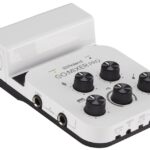 Roland GO:Mixer Pro Review: Versatile Audio Interface for DJ Live Streaming
 Must-Buy DJ and Camera Gear: A Pro’s 2025 On-the-Go Essentials
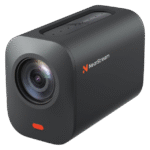 NearStream VM33 Wireless Camera Review: Simplified Live Streaming for DJs
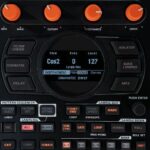 Roland SP-404MKII 4.04 Update Review: Next-Level Sampling and Workflow Features
 Roland SP-404 MkII Review: The Perfect Sampler for DJs
 Roland DJ-808 Review: The Ultimate Controller for Producer-DJs